If you use AI agents for a lot of complex, long-term projects, then you need more than a chat window; you need a system. This post describes a simple system that we built for managing projects with Claude Code in VS Code. Each project gets its own agent, and each agent is a daisy chain of chat sessions. Skills keep the agent’s memory and documentation current, and each chat session hands off to the next with what it needs to continue. The result is a set of Long-term, Archival, Uncompacted, Resumable, Accountable (LAURA) agents that you can work with reliably over many months.
To try it yourself, get the workspace, skills, and documentation by cloning the LAURA-agents repo on GitHub or downloading LAURA-agents-main.zip directly. The README.md file there explains how the system works, and this post explains what it is for and how we use it.
What is an agent?
According to Anthropic [1], an agent consists of four components:
- The model, e.g. Claude Opus 5.5;
- A harness, instructions and guardrails for the model;
- Tools, e.g. file editing and web search; and
- An environment, in our case Claude Code for VS Code, and the workspace files.
On another level, from a user perspective, an agent is also a collaborator, and the collaboration happens in:
- The chat sessions between user and agent.
The chat sessions are where the user and agent work together to solve problems. In [2], Anthropic calls this interactive agentic coding. They studied about 400,000 Claude Code sessions, and found that users do most of the planning and agents do most of the execution, and that sessions are more successful when the user can contribute domain knowledge (whether or not they know how to code).
Over long-term collaborations, the user’s plans and knowledge can be lost during context compaction or when switching to a new session. Our goal was to create a system that intentionally carries the plans, knowledge, current workflow, and next steps from one session to the next.
LAURA-agents
The LAURA-agent system adds new skills to the harness, and new project management docs to the environment. Most importantly, it links the chat sessions, enabling each one to hand off to the next. Each new session wakes up knowing the plans, background, and workflow, ready to resume where things left off. The first thing it does is report where things stand, which also brings the user up to speed.
Each project gets its own folder and its own agent, with its own docs and a chain of chat sessions. Different folders can have different working rules and knowledge bases, and each agent holds one project in its context and nothing else. A large-scale project might need multiple agents, and a workspace might contain multiple projects. Within a workspace, the user can switch between agents in the same VS Code window just by changing chat sessions. The user could also have several workspaces open in different VS Code windows.
For people with a lot of different projects, this can get complicated. So, our system includes a special agent, @BRAIN, whose project is to manage and update the system itself. @BRAIN creates new agents, keeps the rules that all agents share, and helps adapt the system to user preferences and Claude Code updates. If you’re a beginner, then @BRAIN can help you learn the system and get started with interactive agentic coding.
The daisy chain
How do chats chain together to make a continuous agent for a project? Let’s walk through a fictional example, with mock-ups that illustrate what it’s like to work with the system.
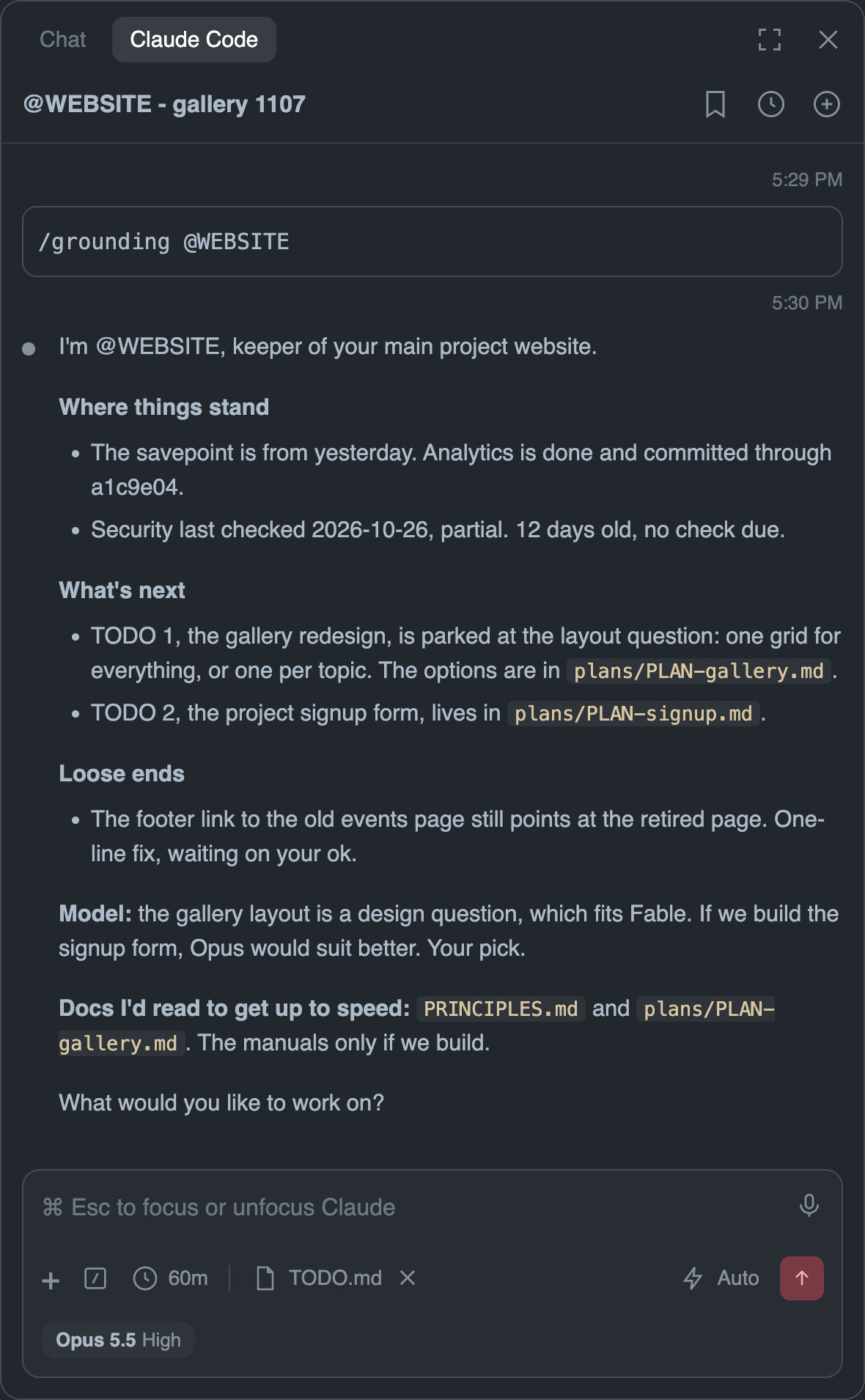
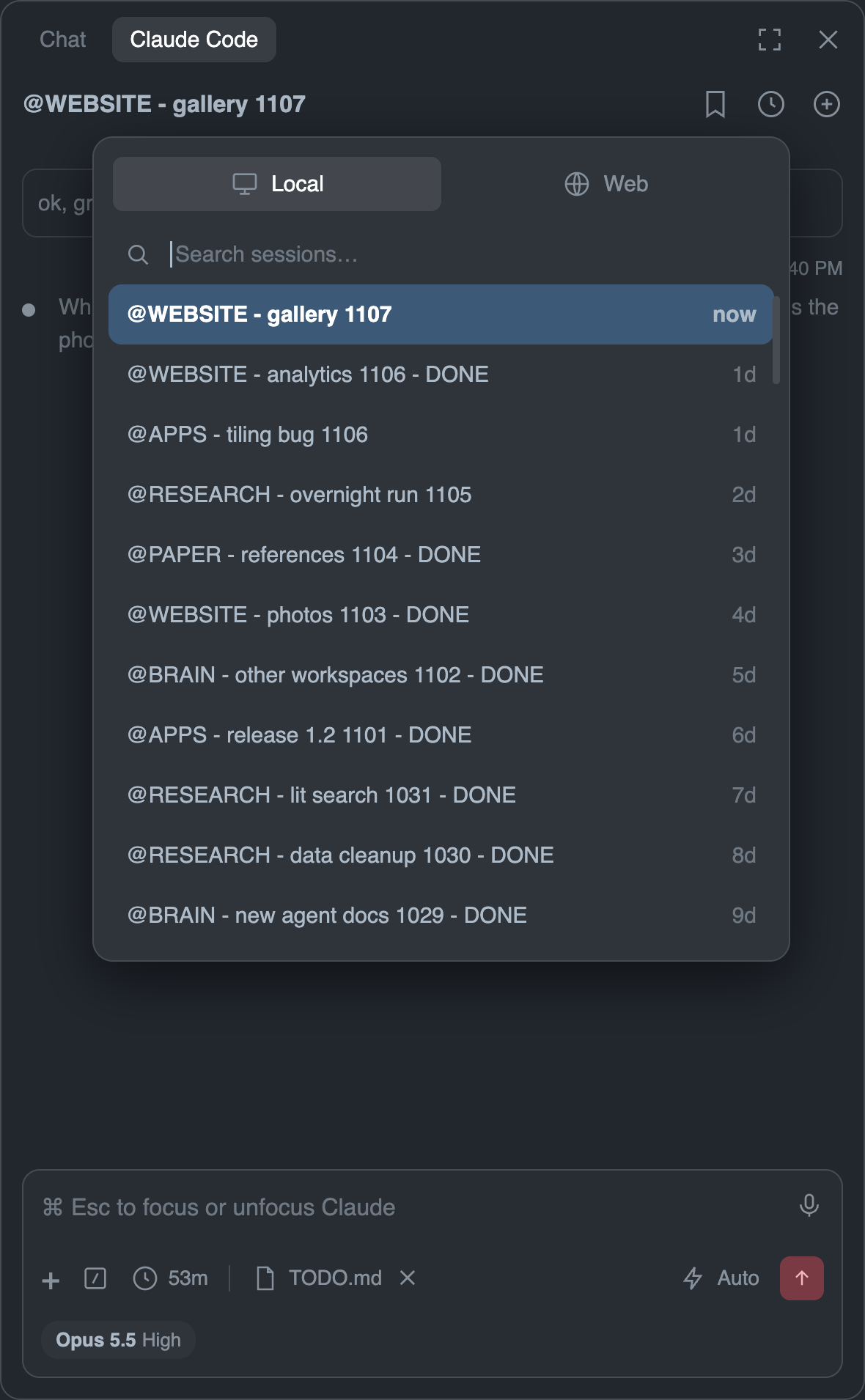
The first image below shows how you might start a fresh chat session with an existing agent named @WEBSITE. A new link in the chain of sessions for this agent starts with the command /grounding @WEBSITE, which wakes the agent and produces a startup report. The second image shows where this session sits in the Claude Code session list, which also includes earlier @WEBSITE sessions and the chains of other agents.
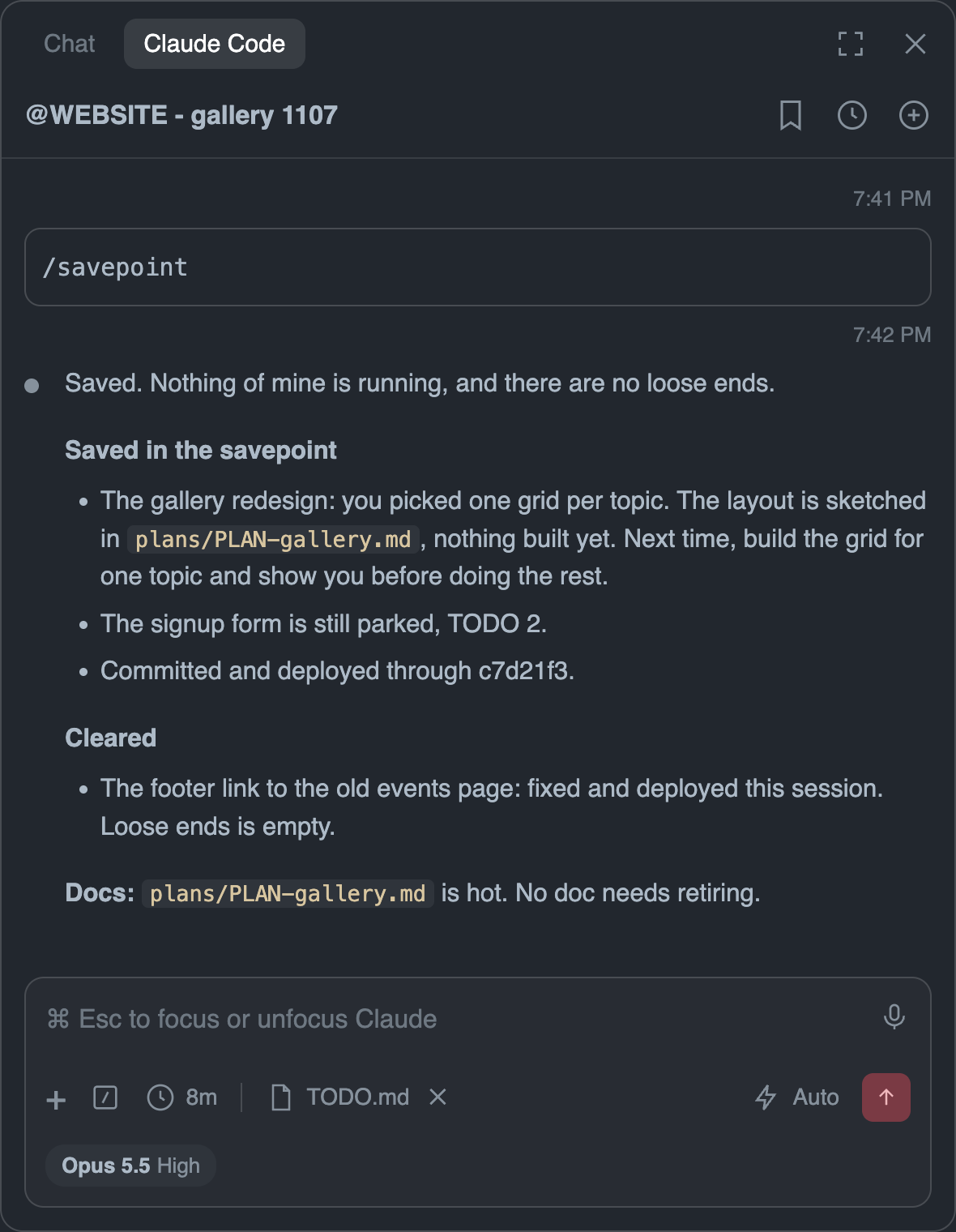
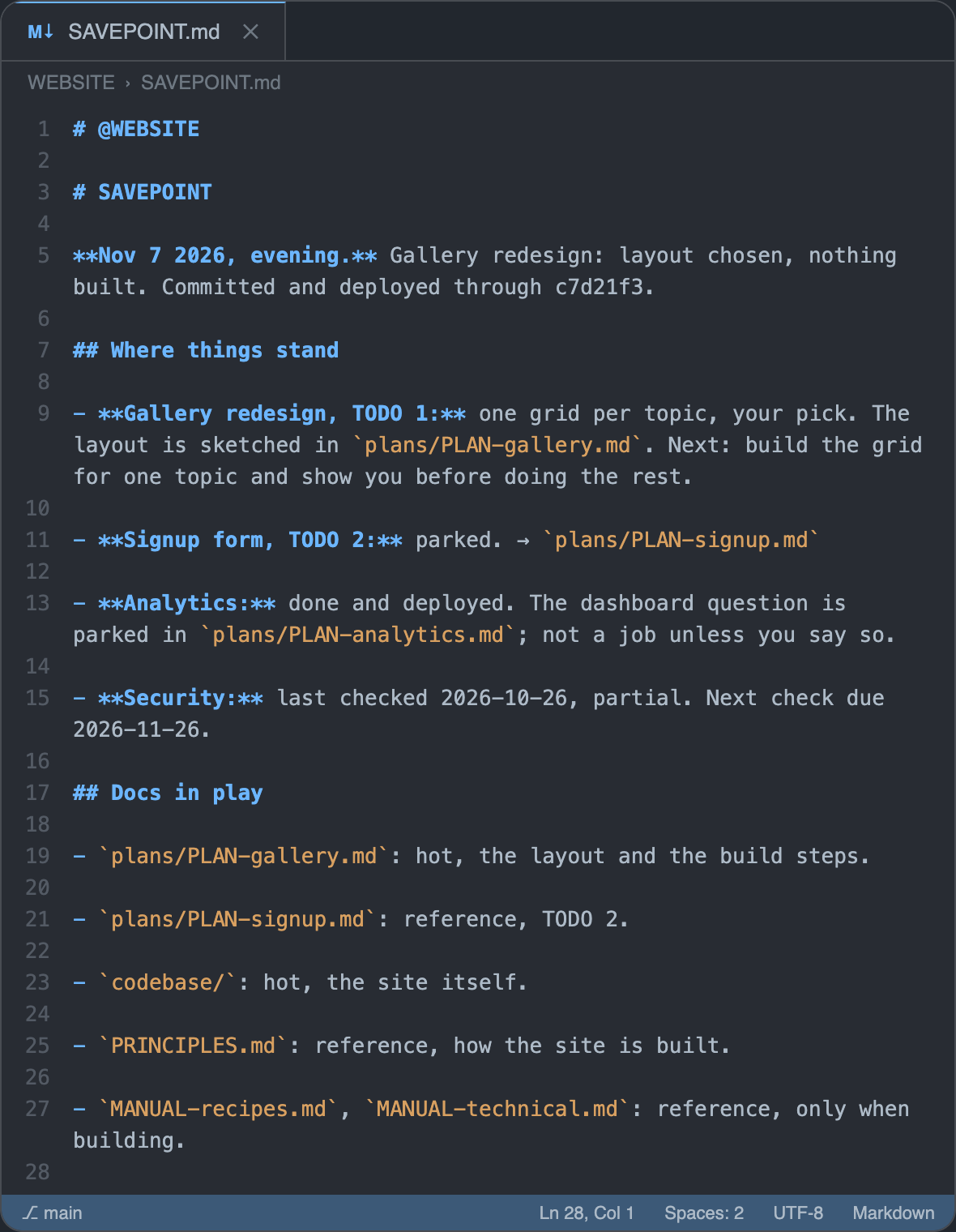
After working with @WEBSITE for a while, you might come to a point where some issues have been resolved and you want to save your progress and take a break. The first image below shows the report from running the /savepoint command after a few hours of work. The second image shows the SAVEPOINT.md file where the agent wrote down where things stand. You can pick up with the same session from this point later on, or start a new session that begins from this saved information.
Eventually, the context window for this @WEBSITE session will get full, and it will be time to hand off to a fresh session. If you let the context get close to the maximum then the session will auto-compact and you can lose important details from your conversations. By handing off before compaction we can be more intentional in what information gets saved. We typically hand off well before that point. Old context costs tokens on every message, and the more of it the agent carries, the more easily it can lose track of the current task.
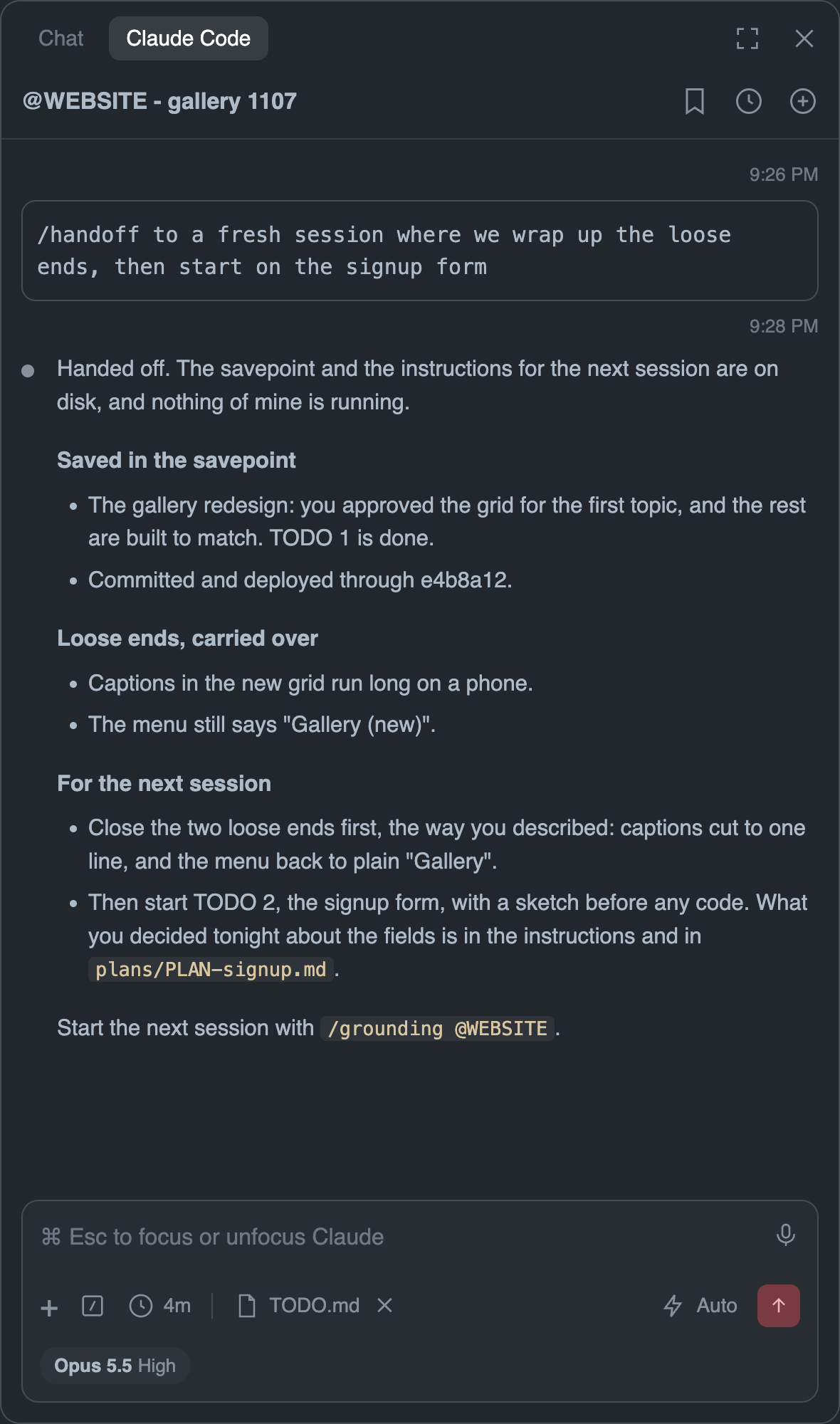
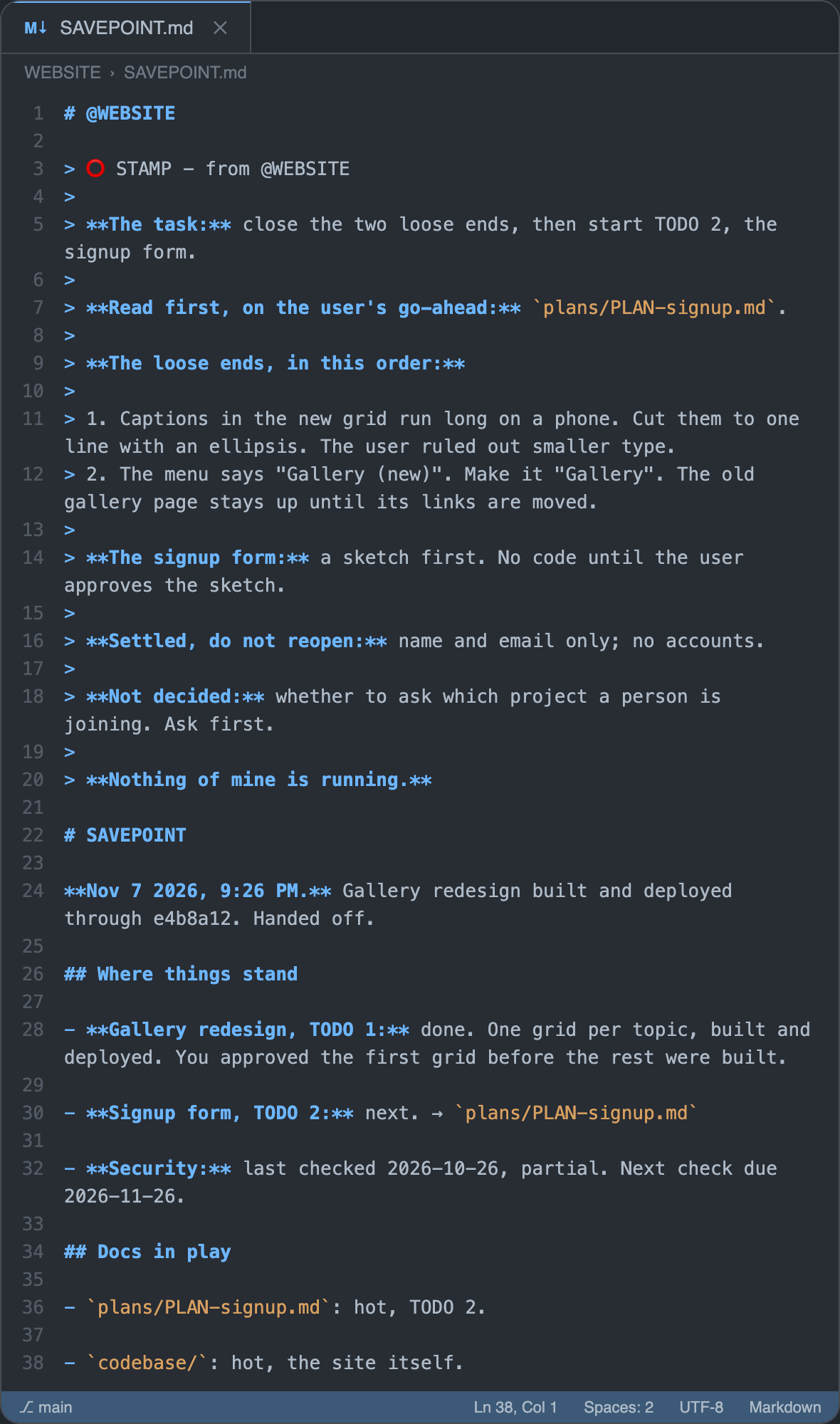
The first image below shows the /handoff command, with the user’s instructions for the next session. The agent goes through the handoff process and produces a sign-off report. The second image shows the revised SAVEPOINT.md document where instructions and chat details are saved in a “stamp” block for the next @WEBSITE session to read at its grounding.
Memory and continuity
In general, agents can keep memory in many ways: in files during a session, in transcripts of past sessions, in memory notes that are loaded automatically into every new session, and even by “dreaming” to reorganize what was saved [3]. In our LAURA-agent system we keep it simple and avoid most of this, as well as compaction summaries. Memory lives in CLAUDE.md, SAVEPOINT.md, and TODO.md, with the skills that write them at savepoints and handoffs. This way our agent memory is easy for the user to see and change, and is made intentionally, at moments that the user picks.
The goal is to create a continuous agent “identity” that knows the workflow, the project, and the standards of a long-term collaboration, and that remembers the project for itself and for the user. This is more than having specs or project docs; it means preserving the relevant parts of the conversation and what the user brings to it: the plans and knowledge that would otherwise be lost.
Deciding what to save is a balance, and it’s tricky. If the docs save too little, then each new session has to be told everything again; if they save too much, then they get bloated or go stale. The LAURA-agent system is simple, but its docs and skills are the result of many months of balancing, as we tested what worked and adapted to Claude Code updates.
Okay but how do I even
If you’re new to working with AI agents, or have never used VS Code before, then getting started is the hardest part. Once you are set up, the @BRAIN agent that comes with the downloaded workspace can help you move forward.
Here’s a step-by-step guide to getting your foot in the door:
-
Get the folder. Download LAURA-agents-main.zip and unzip it.
-
Rename the folder and move it to wherever you keep projects. Do this before your first chat, because chats are tied to the folder’s location. Move the whole folder, since it contains a hidden
.claudefolder that you might miss if you try to drag the contents of the folder. -
Open the folder in VS Code, using File > Open Folder. If you don’t have VS Code yet, install it first.
-
Install the Claude Code extension, by Anthropic, from the Extensions view, and sign in with your Claude account (you will need to be on a paid plan to use Claude Code for this system).
-
Open Claude Code by clicking the Claude logo in the sidebar. Make sure the Claude Code tab is selected in the panel, not the tab that says “Chat” (that is something else).
-
Start a new chat and type
/grounding @BRAIN. The place to start a new chat is with the ”+” symbol in the upper right of the chat panel. The place to type is at the bottom of that panel. After grounding, tell @BRAIN that you are a beginner.
From there, @BRAIN can help with the rest, including explaining the workspace and making an agent for your first project. Comment below if you get stuck and we’ll help you get unstuck :)
References
[1] Trustworthy agents in practice, Anthropic Frontier Red Team, April 9, 2026.
[2] Agentic coding and persistent returns to expertise, Zoe Hitzig, Maxim Massenkoff, Eva Lyubich, Shaoyi Zhang, Ryan Heller, and Peter McCrory, Anthropic, June 16, 2026.
[3] The components of agent memory, Lance Martin, Anthropic, November 6, 2026.